
Google One
Google LLCProductivity
4.144.64K Reviews
- Version
- 1.334.1013190745
- Installs
- 1.00B
- Age Rating
- Everyone
Screenshots
Our Review of Google One
 Analysis by Appyee
Have you ever felt like your phone is running out of space faster than you can say "cloud storage"? Well, that's exactly what happened to me, and that's when I stumbled upon Google One. Dive in with me as I walk you through my experience with this app, exploring its features, and why it might just be the solution to your storage woes.
What is Google One?
If you're like me and tend to hoard photos, videos, and a myriad of other digital goodies, Google One is a game changer. Essentially, it's Google's way of upgrading your cloud storage game. Beyond just the basic storage expansion, it offers a suite of features that make it stand out in the crowded cloud storage marketplace.
Seamless Storage Expansion
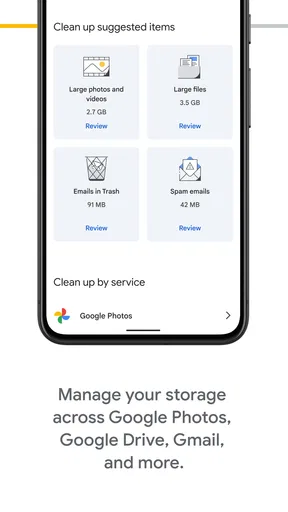
First and foremost, Google One provides a straightforward way to boost your Google Drive storage. Whether you're storing vacation photos or essential work documents, you'll find a variety of plans to suit your needs. Starting from a generous 100GB and scaling up to a whopping 30TB, there's something for everyone. It's like having your own digital attic, minus the dust and spiders.
Family Sharing Made Easy
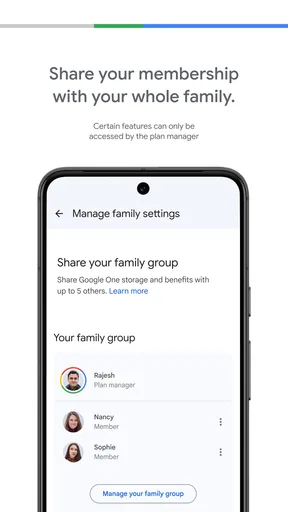
One of the features I really appreciate is the family sharing option. With Google One, I can share my storage plan with up to five family members. It's perfect for households where everyone is snapping and saving everything. Plus, it keeps your family's digital life organized under one umbrella — no more scattered files and frantic searches.
Access to Google Experts
Another nifty perk is having direct access to Google experts. Whether you're facing a tech hiccup or just need advice on using Google's suite of services more efficiently, expert help is just a tap away. It's like having a personal tech support team, minus the hold music.
Additional Benefits and Perks
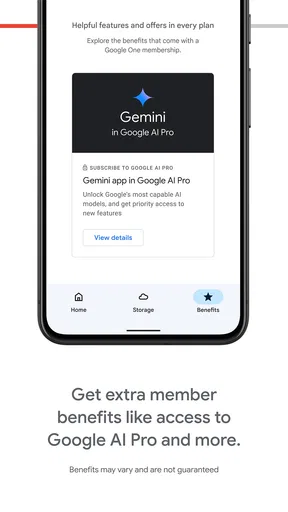
Google One isn’t just about storage. Subscribers also enjoy a range of perks like Google Play credits and special discounts on hotels. These extras might seem minor, but they add significant value if you're already entrenched in the Google ecosystem.
Backup and Peace of Mind
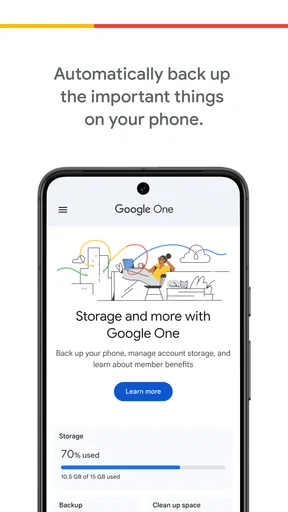
Google One also shines when it comes to device backup. It automatically backs up your phone's data, ensuring that your photos, videos, contacts, and more are safe and sound. It's a comforting thought to know that if you accidentally drop your phone in the pool (hey, it happens), your data remains intact.
Additionally, the app's interface is clean and intuitive, making navigation a breeze. Even if you're not a tech wizard, you'll find that managing your storage and settings is straightforward.
Security and Privacy
In a world where data breaches are all too common, security is a top priority. Google One employs robust security measures to ensure your data stays private and protected. Two-factor authentication and encryption keep unwanted eyes away from your files, so you can rest easy.
My Personal Take
So, after using Google One for a while, what's my verdict? Honestly, it's a solid choice for anyone deeply integrated with Google's services. The storage plans are flexible, the additional perks are a nice touch, and the peace of mind from having everything backed up securely is invaluable.
While it might not sway those who are tied to other ecosystems or those who need specialized storage solutions, for many, it offers convenience and integration that are hard to beat. If you're already using Google services regularly, Google One feels like a natural extension.
In conclusion, if you're on the fence about expanding your digital storage, give Google One a try. It might just be the upgrade you didn't know you needed. And who knows, you might even enjoy the extra perks along the way!
Privacy and Permissions
See what permissions an app requests and how it handles your data.
- Identity
- find accounts on the device, add or remove accounts
- Contacts
- find accounts on the device
- Wi-Fi connection information
- view Wi-Fi connections
- Other
- view network connections, change network connectivity, connect and disconnect from Wi-Fi, measure app storage space, full network access, run at startup, use accounts on the device, prevent device from sleeping, read Google service configuration
Verdict
Strengths of Google One
- Seamless integration with Google services.
- Affordable plans for extra storage.
- Family sharing up to five members.
- Automatic photo backups.
- Access to Google experts for support.
Limitations of Google One
- Limited features on free tier.
- Requires Google account to use.
- No offline access to files.
- Limited customization options.
- Can consume significant mobile data.
Other Releases by Google LLC
View All
Google Calendar
Productivity4.6

Google Messages
Communication4.6

Tools4.0

Google TV
Video Players & Editors3.9
Similar Picks in This Category
View AllGoogle Calendar
Google LLC4.6

Google Drive
Google LLC4.3

Google Assistant
Google LLC3.9

Microsoft OneDrive
Microsoft Corporation4.6

Samsung Calendar
Samsung Electronics Co., Ltd.4.1

Microsoft OneNote: Save Notes
Microsoft Corporation4.6
You May Also Like
View All


Frequently Asked Questions
What is Google One, and how does it differ from Google Drive?
Google One is a subscription service that offers expanded cloud storage across Google Drive, Gmail, and Google Photos. Unlike the free version of Google Drive, Google One includes additional features such as family sharing for up to five members, access to Google experts, and extra benefits like Google Store discounts.
How much does Google One cost, and are there any free options available?
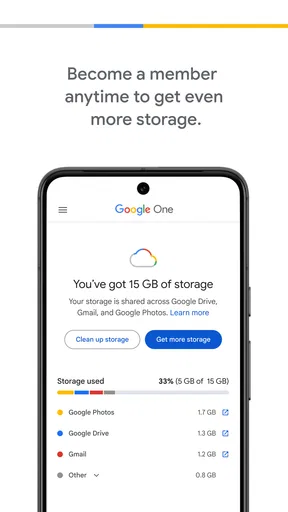
Google One offers a variety of plans starting at 100 GB for $1.99 per month. While there is no free option for Google One, Google does provide 15 GB of free storage shared across Google Drive, Gmail, and Google Photos. Upgrading to Google One provides more space and additional features.
What are the benefits of subscribing to Google One?
Subscribing to Google One provides several benefits, including increased storage capacity, expert support from Google, family sharing, and exclusive offers and discounts. Subscribers also receive enhanced security features and can use their storage across multiple Google services seamlessly.
Can I share my Google One subscription with family members?
Yes, Google One allows you to share your subscription with up to five family members at no additional cost. Each member gets their own private storage space, but everyone shares the total storage capacity of the plan. Family members also gain access to other Google One benefits.
How do I access customer support as a Google One subscriber?
As a Google One subscriber, you can access customer support through the app or the Google One website. Subscribers have access to Google experts who can help with technical issues, account management, and optimizing your Google services. Support is available via chat, email, or phone, depending on your region.
